Free Offline Text-to-Speech Study App: Listen to Your Notes Without Eye Strain
Tired of staring at a glowing screen for hours before exams? Learn how offline AI Text-to-Speech with live line highlighting in Tekno Notebook makes revision effortless.
Why Cloud Text-to-Speech Tools Frustrate Students
Character paywalls, buffering voices, and uploading private notes to third-party servers break study momentum.
Thousands of students search for an offline app that reads their notes aloud because marathon screen reading drains focus fast. Yet most web tools cap your free minutes or stop working the moment your Wi-Fi drops.
Checklist: What Makes a Great Offline Audio Study Reader

4 Smart Ways to Use Audio Revision Every Week
- Give tired eyes a break on exam morning while still reviewing key definitions.
- Catch awkward phrasing and typos in essays instantly by hearing them read aloud.
- Reinforce dense theory chapters by looping a crisp one-page summary.
- Combine visual line tracking with audio to double focus during long reading sessions.
Turn Every Note Into a Free Local Audio Session
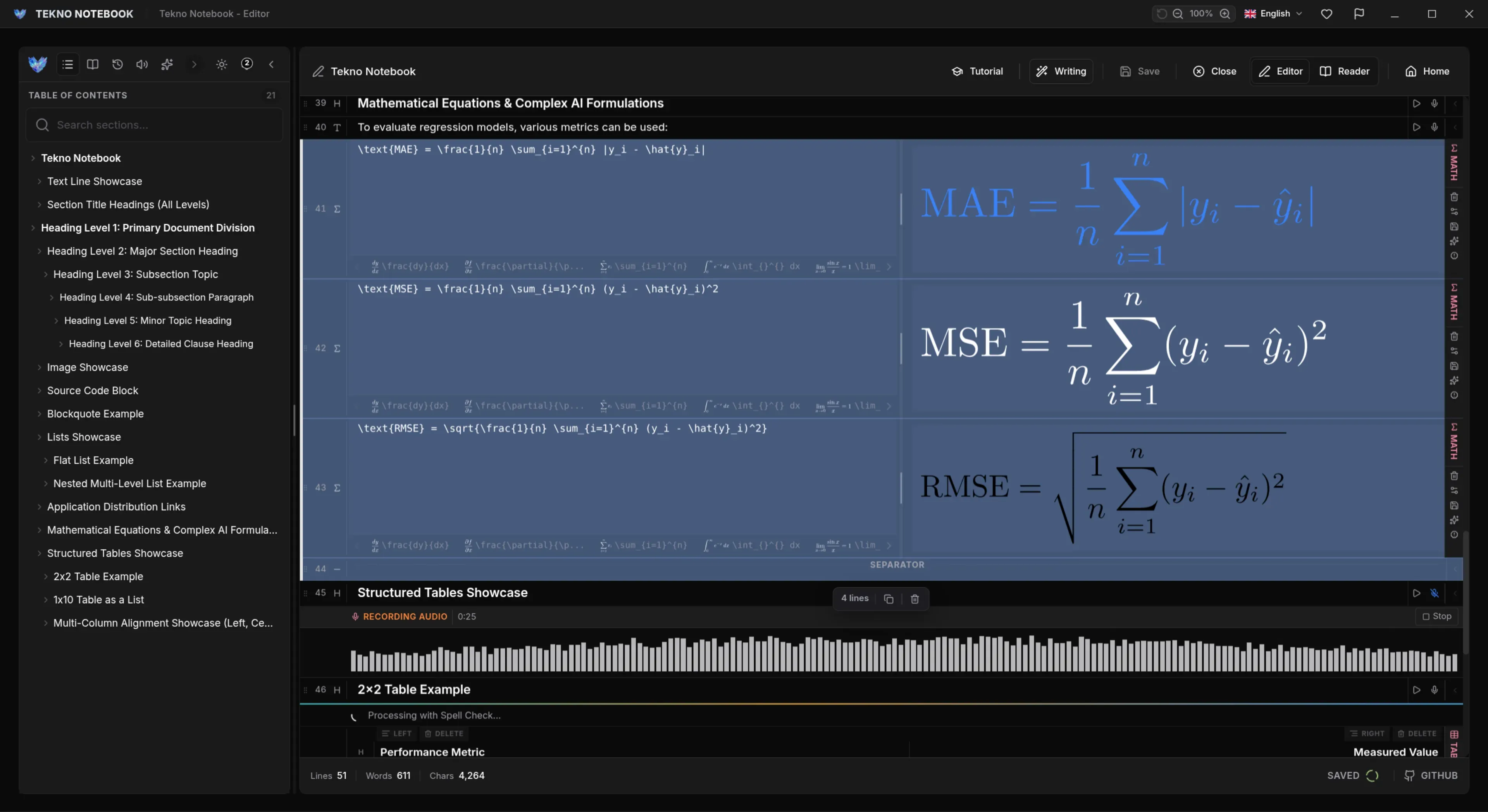
One click in Tekno Notebook transforms silent text into guided audio playback.
Whether you are revising dense lecture chapters or proofreading a final report, Tekno Notebook delivers free, unlimited local Text-to-Speech on Windows and Linux without uploading a single word.
Engaging both eyes and ears turns tiring late-night rereading into calm, high-retention revision.

Tekno Notebook
Listen to Your Notes Offline With Synchronized Line Tracking in Tekno Notebook
Tekno Notebook runs neural Text-to-Speech locally on your PC with zero word caps, synchronized line highlighting, and instant playback from any line.
- Local AI voices work 100% offline with zero monthly word limits
- Auto-Tracking highlights each line aloud to lock in your focus
- Click any line to start listening immediately at your chosen speed
- Private by design—your study notes never leave your computer