Free Private Note-Taking App With No Account and No Cloud for Windows & Linux
Tired of note apps demanding your email and a monthly subscription just to write a page? Discover why offline-first privacy in Tekno Notebook puts you back in control.
Why More Users Are Searching for Note Apps With No Account and No Cloud
Opening a notebook on your own computer should never require creating a cloud profile.
Your ideas, research drafts, and study notes belong to you—not to a remote server waiting to put your export button behind a paywall.
Modern cloud note tools increasingly greet you with mandatory login screens, sync limits, and subscription prompts. That friction is driving students, writers, and developers back to fast, private desktop software.
4 Non-Negotiables for a Truly Private Note App
- Launches straight into writing with zero mandatory account screen.
- Stores notes locally and exports cleanly to open formats (Markdown, PDF, LaTeX).
- Runs everyday smart features like audio reading and dictation offline on your PC.
- Supports both Windows and Linux natively without sluggish browser wrappers.
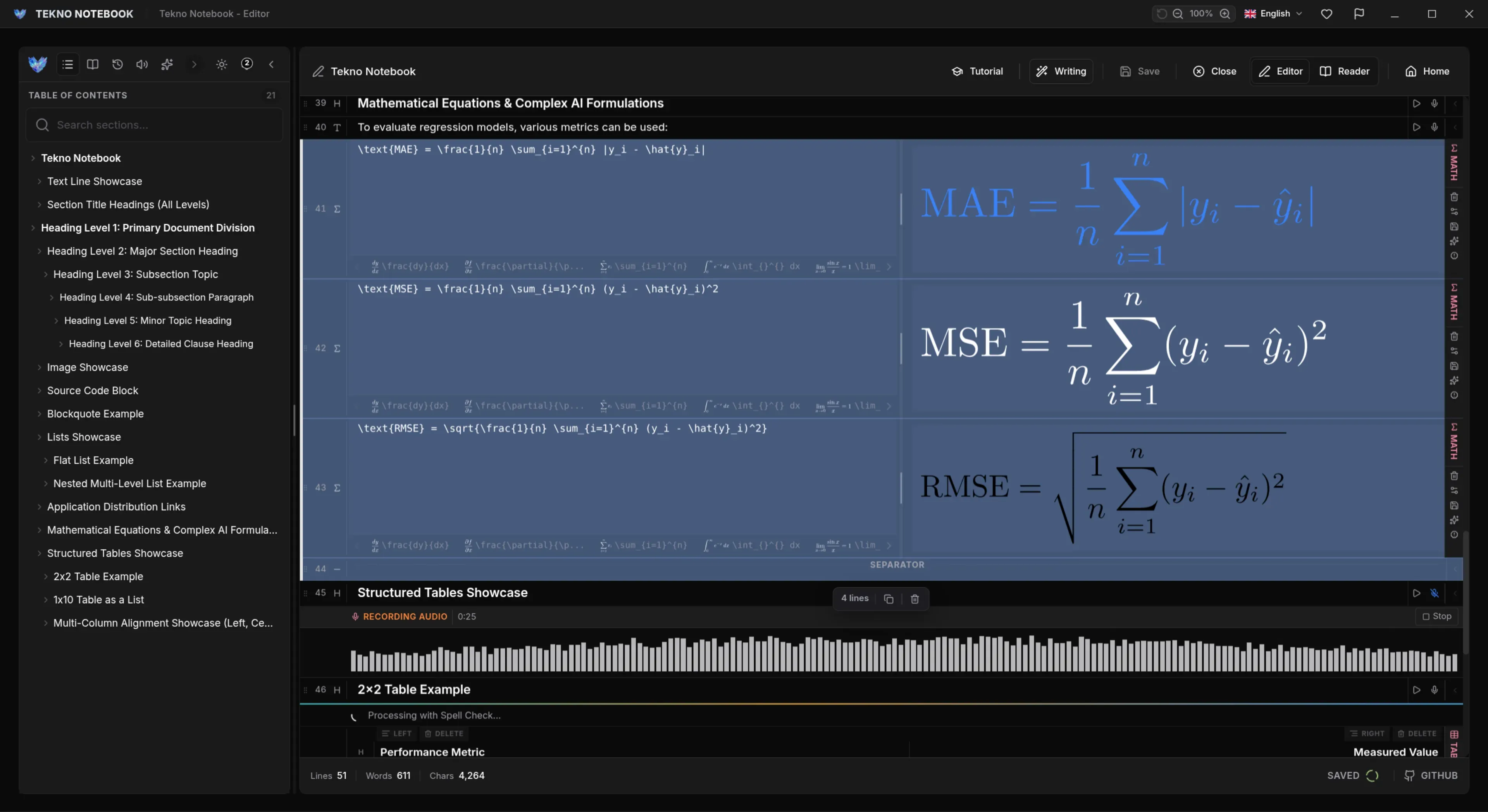

Tekno Notebook: Modern Power With Classic Desktop Privacy
You do not have to settle for bare-bones plain text just to keep your data local.
Many local-only editors strip away helpful features, while feature-rich apps lock everything inside the cloud. Tekno Notebook bridges that gap cleanly:
1. Rich Study and Tech Features—All Local
Get dedicated Editor and Reader modes, local neural Text-to-Speech and Speech-to-Text, live LaTeX math, and code formatting—all without uploading your notes.
2. One-Click Install on Windows and Linux
Install Tekno Notebook free from the Microsoft Store or Snapcraft and start writing privately in seconds with zero account setup.

Tekno Notebook
Own Every Note Locally With Zero Sign-Up Friction in Tekno Notebook
Tekno Notebook runs locally on Windows and Linux without asking for an email or subscription—delivering offline voice, LaTeX math, and clean export privately.
- Zero sign-up walls, no forced login, and no monthly subscriptions
- 100% local storage—your personal notes stay on your own drive
- Full offline toolkit: TTS, Speech-to-Text, code blocks, and LaTeX
- Available free on Microsoft Store (Windows) and Snapcraft (Linux)

