Why Your Home Wi-Fi Slows Down Even on a Fast Plan: Local Network Diagnostics
Before calling your ISP or buying a new router, check the hidden bottlenecks inside your home network and learn how to keep tabs on active local devices.
Is Your ISP Slow—or Is the Bottleneck Inside Your House?
A quick two-minute check separates internet outages from local Wi-Fi congestion.
Few things are more frustrating than laggy video calls and stalling pages when you pay for high-speed internet. More than half the time, the culprit is not your provider at all—it is local congestion, saturated upload bandwidth, or neglected router settings.
4-Step Local Network Diagnostic Routine
- Run a wired Ethernet test right next to the router to isolate wireless interference.
- Check Wi-Fi channel overlap in crowded buildings and move nearby work devices to 5GHz.
- Inspect active devices for background cloud backups or updates maxing out your upload speed.
- Test DNS response times—even fast connections feel sluggish when domain lookups stall.
A single device saturating your upload pipe can freeze web browsing and calls for everyone else on the network, because every download still requires timely upload acknowledgments.
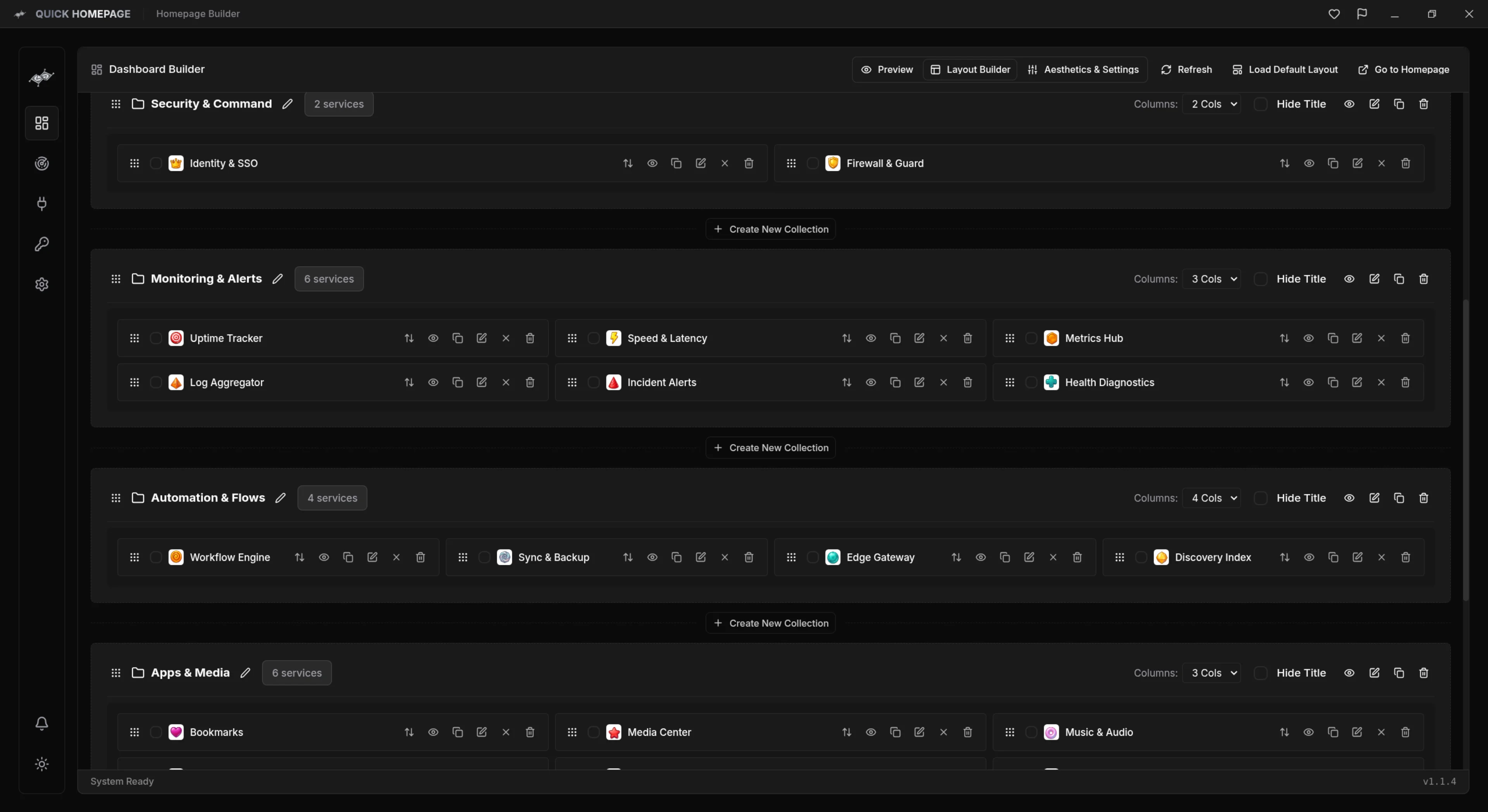
Why Seeing Your Whole Network Cuts Troubleshooting Time in Half
You cannot fix what you cannot see—centralizing your local devices removes the guesswork.
Two habits make home network upkeep effortless:
1. Label Devices and Admin Panels Clearly
Instead of hunting for your router IP, access point interface, or NAS status page every time lag hits, keep them grouped under clear labels on one home screen.
2. Let Quick Homepage Discover Local Services Automatically
Quick Homepage automatically discovers running services across your LAN and organizes them into clean collections, with optional widgets so you can check health at a glance.
A well-organized home network is far more reliable than expensive hardware left unmanaged.
5-Minute Monthly Home Network Hygiene
- Review connected devices and remove anything unfamiliar.
- Install pending security firmware updates on your router.
- Reboot the router monthly to clear stale routing tables.
- Keep the router elevated and away from thick walls or metal enclosures.

Quick Homepage
Keep Your Router, Devices, and Local Services One Click Away in Quick Homepage
Quick Homepage maps active services on your local network into a single clean dashboard—giving you instant access to your router panel and diagnostic tools.
- Automatic discovery of running services across your local network
- One-click access to router dashboards and local admin tools
- Customizable widgets and plugins to monitor service health
- Lightweight desktop experience with zero bloat

