mDNS and .local Hostnames: Stop Typing Raw IP Addresses on Your Home Network
Tired of memorizing 192.168.1.45 only for it to change after a router reboot? Learn how .local names work, where they fall short, and how to launch services in one click.
How .local Names Work Without Running a DNS Server
Multicast DNS lets devices introduce themselves by name across your home network automatically.
Every time the power blinks or your router reboots, DHCP can hand your printer or home server a brand-new IP address—breaking old links overnight. Multicast DNS (mDNS) solves part of this pain by letting devices advertise human-readable .local hostnames automatically.
How mDNS Works—and Where It Hits a Wall
1. Zero-Config Discovery on the Same Subnet
When you type homeserver.local, your computer broadcasts a quick multicast query on your local subnet. The matching machine replies directly with its current IP address—no router tweaks needed.
2. Why .local Alone Is Not Always Enough
mDNS does not cross VLANs or separate subnets by default, and it still cannot save you from typing different port numbers when five apps live on the same machine.
# Test whether a local device answers by .local name
ping homeserver.local

# Discover local services on Linux (Avahi)
avahi-browse -a -t
3 Steps for Rock-Solid Local Access
- Set DHCP reservations in your router so core servers always keep the same IP.
- Use .local hostnames for quick terminal and browser access on your main subnet.
- Put all services and ports into one visual hub so opening anything takes one click.
Why Quick Homepage Completes the Local Naming Experience
Readable hostnames solve half the friction; a clean visual launcher eliminates the rest.
Even with a memorable hostname, typing colon-port suffixes every day slows you down.
Humans recognize clear icons and labels ten times faster than IP octets and port numbers.
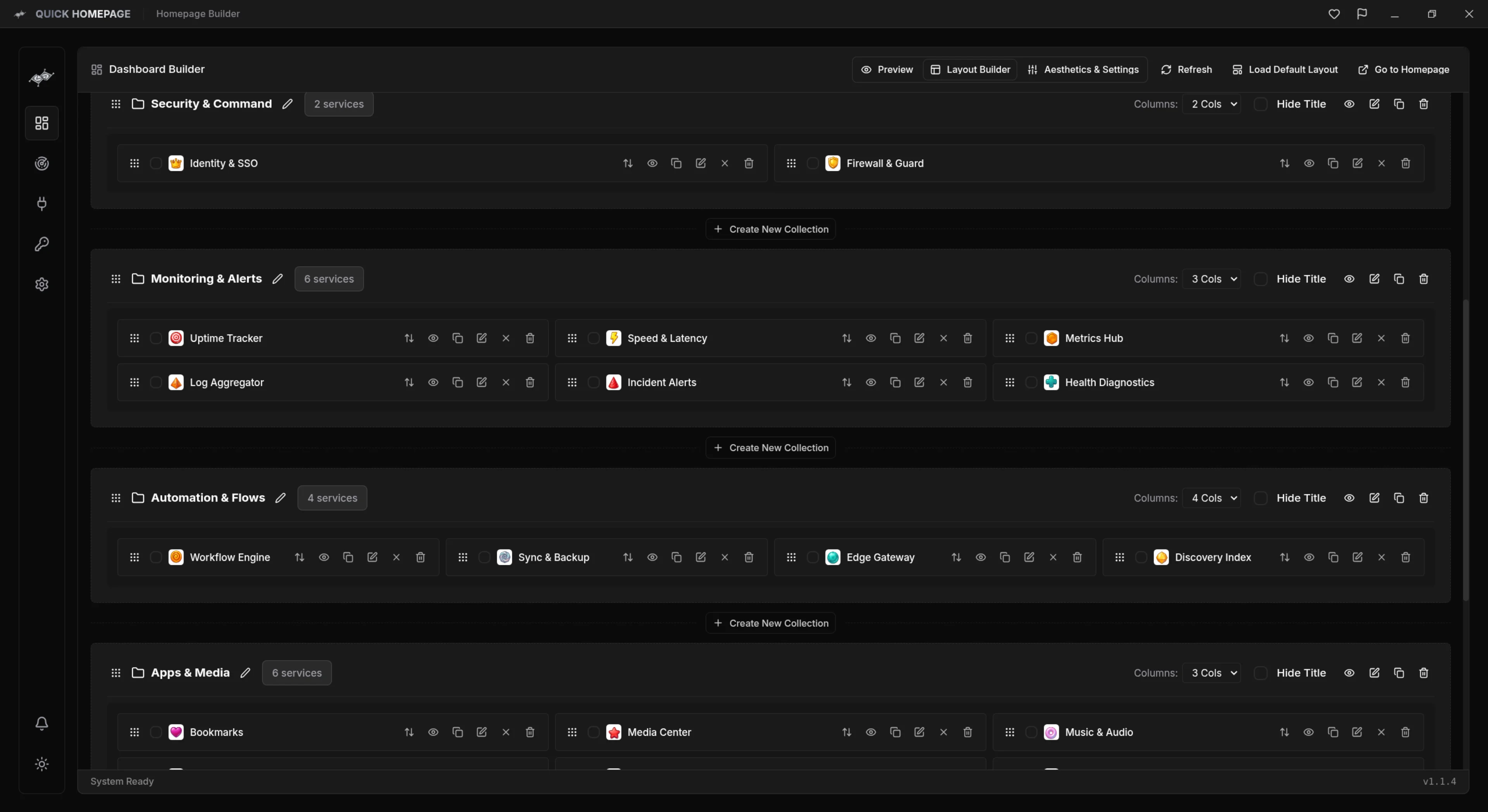
Quick Homepage automatically discovers active services on your LAN and organizes them into tidy collections—so you never have to type raw addresses or ports again.

Quick Homepage
Skip Memorizing IPs and Ports With Auto-Discovery in Quick Homepage
Quick Homepage automatically discovers running services on your LAN and turns them into clear, clickable cards—even when ports multiply across your servers.
- Instant discovery of running services on your local network
- Save links with readable names, descriptions, and custom icons
- Visual GUI editor updates any URL or port in seconds
- No complex local DNS server setup required