Best Free Offline Note-Taking Apps for Windows and Linux: What Actually Matters
Looking for a fast, free desktop note app that works completely offline on Windows and Linux without an account or subscription? Here is what to look for—and why Tekno Notebook stands out.
Why Students and Developers Are Switching Back to Offline Desktop Note Apps
Instant launch speed, local file ownership, and real privacy beat bloated web apps.
Search for a desktop note app today and most results push mandatory sign-ins, slow browser wrappers, or monthly paywalls just to export your own work. A true offline-first desktop notebook opens immediately, keeps your data private on your machine, and works reliably whether Wi-Fi is on or off.
5 Must-Have Criteria for the Best Free Offline Note App on Windows & Linux
- Zero Account & True Offline Privacy: Launch and write immediately without handing over personal information.
- Versatile Formatting in One Place: Handle text, code blocks, images, lists, headings, and links smoothly.
- Native Windows & Linux Support: Clean official packages that run consistently across both operating systems.
- Comfortable Customization: Effortless light and dark modes with flexible settings for long sessions.
- Built-In Power Features: Audio playback, voice dictation, and math rendering without installing four separate apps.


Tekno Notebook: Built From the Ground Up for Fast, Private Desktop Notes
Everything students and engineers need on Windows and Linux—completely free.
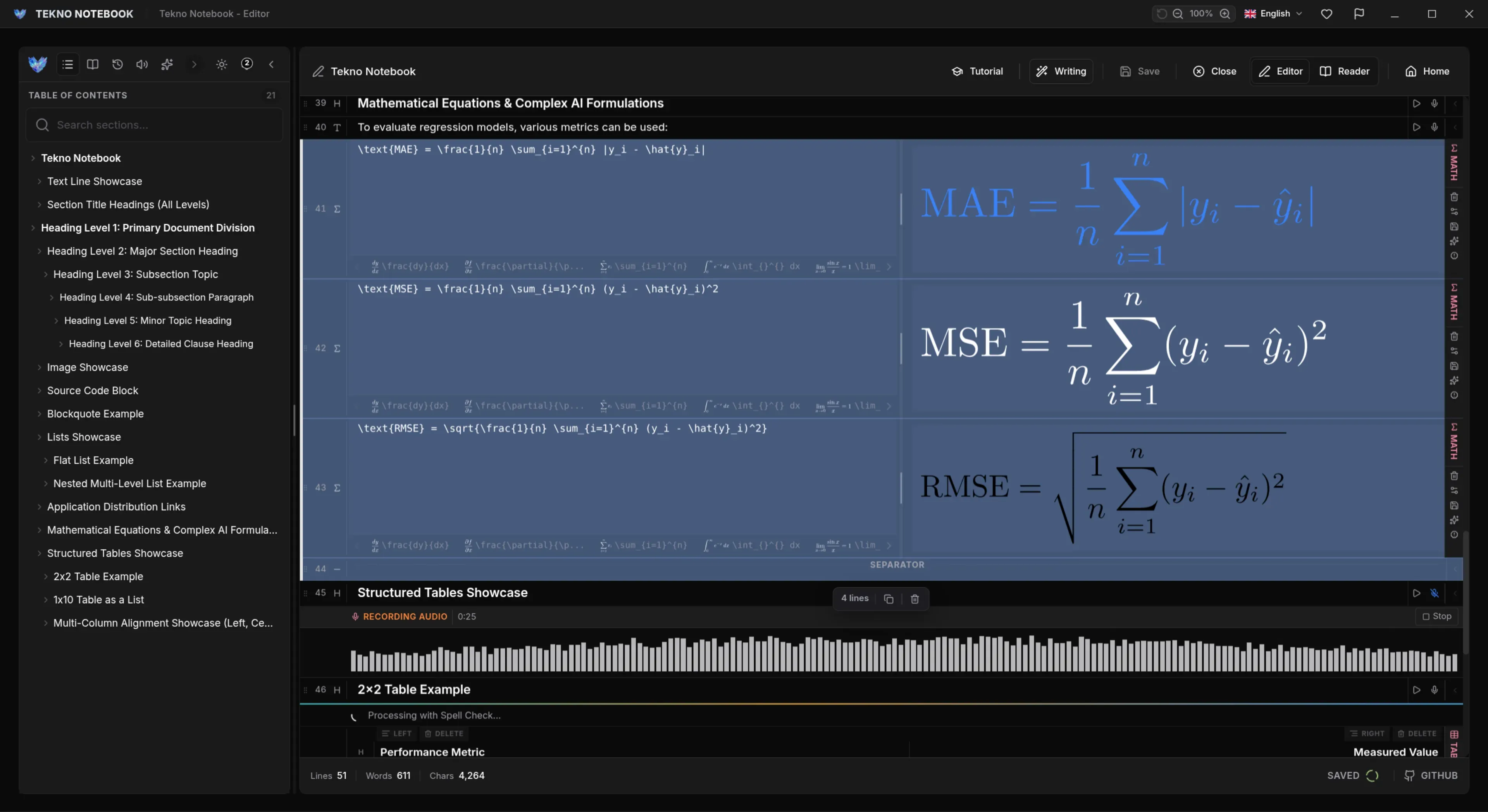
Tekno Notebook checks every box on both Windows (Microsoft Store) and Linux (Snapcraft). You get rich note creation with code, images, and LaTeX math, dedicated Editor and Reader views, plus built-in offline Text-to-Speech and Speech-to-Text—all while requiring zero personal information.
The best note-taking app opens in a second, keeps your knowledge on your own device, and never charges rent to read your own ideas.

Tekno Notebook
Notes, Code, Math, and Voice in One Private Desktop App With Tekno Notebook
Tekno Notebook runs locally on Windows and Linux with zero sign-up required—combining rich formatting, LaTeX math, offline TTS/STT, and clean light/dark themes.
- Completely free with zero subscriptions and zero personal data collected
- Available natively for Windows (Microsoft Store) and Linux (Snapcraft)
- Supports text, code, images, lists, headings, links, and live LaTeX math
- Built-in offline Text-to-Speech (TTS) and Speech-to-Text (STT)