Best Alternatives to Storing Plain-Text API Keys and Secrets in Homelab Dashboards
Pasting API keys and credentials as plain text inside dashboard configs risks accidental leaks during screen shares or backups. Learn safer patterns and how Quick Homepage's one-way secret management works.
Why Plain-Text Dashboard Secrets Are a Quiet Security Risk
One quick screenshot or shared config snippet can accidentally expose your entire homelab.
A secret that stays readable in your settings screen stops being a secret the moment you share your screen.
Connecting live widgets to self-hosted services often requires API tokens or credential files. Many traditional dashboards store those keys in plain view inside config files or echo them right back in the UI—turning routine troubleshooting or backups into accidental leaks.
4 Safer Alternatives to Plain-Text Dashboard Credentials
- Use one-way (write-only) secret management so sensitive inputs are saved securely without ever being displayed back in the GUI.
- Keep sensitive credential files separate from layout configs you might back up or share.
- Issue read-only API tokens whenever a live widget only needs status metrics.
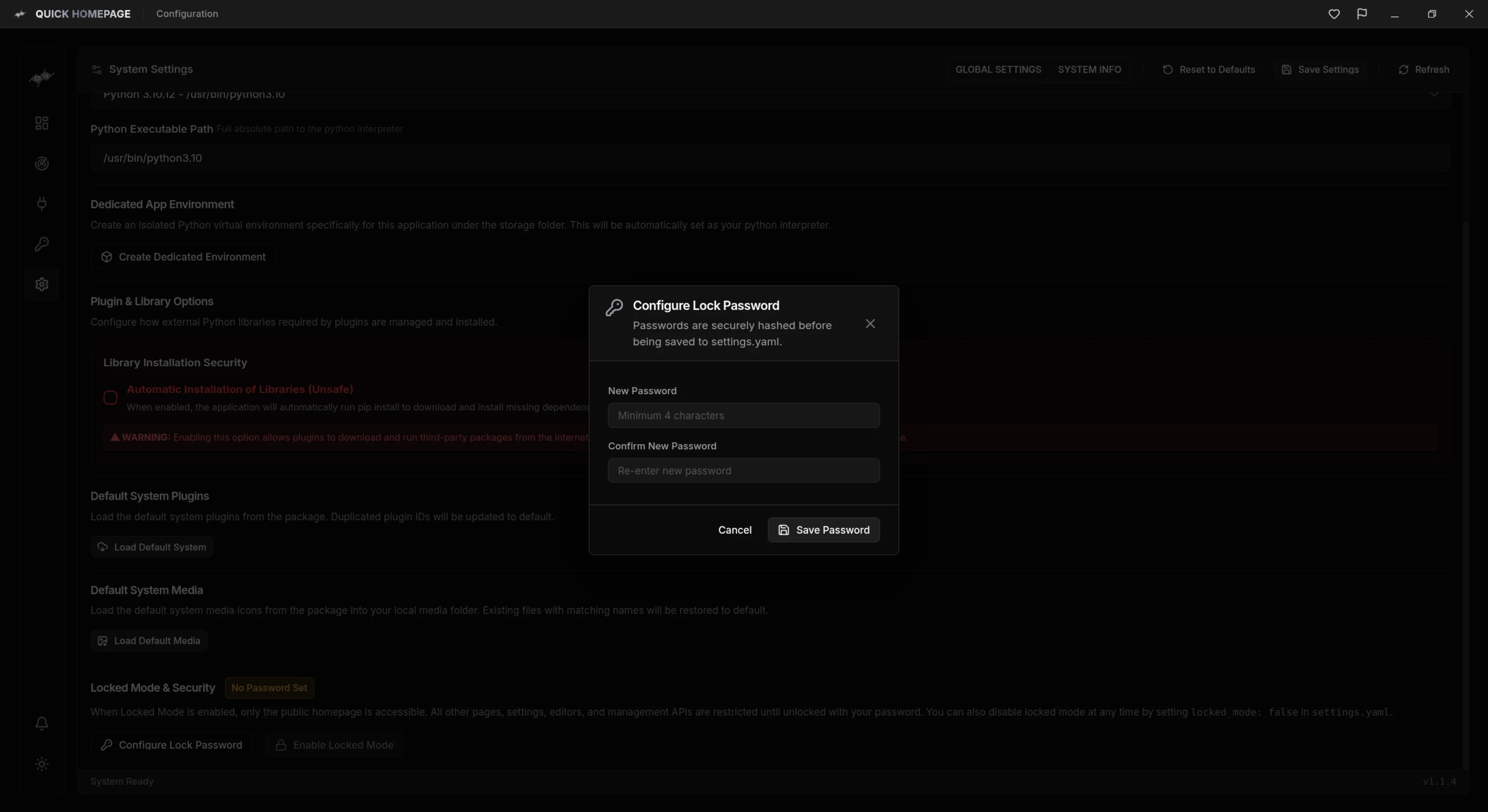
- Pair secret isolation with dashboard password protection and Config Lock.
How Quick Homepage Handles Sensitive Files and Credentials
Practical local security designed for everyday self-hosters.
- Quick Homepage uses secure, one-way secret management so sensitive files and credentials are never exposed inside the graphical interface.
- Everything stays strictly local on your device—no user data or secrets ever leave your network.
- Combine secret management with built-in password protection for clean defense in depth.
If you want a safer alternative to pasting raw tokens into visible config fields, Quick Homepage gives you clean secret handling out of the box.

Quick Homepage
Store Sensitive Credentials Safely Without Exposing Them in the GUI
Quick Homepage handles sensitive files and credentials through secure, one-way secret management—never displaying raw secret contents back inside the GUI.
- One-way secret management keeps sensitive values hidden from the GUI
- Protects credentials during screenshots, screen shares, and daily edits
- Pairs seamlessly with Config Lock and dashboard password protection
- 100% local storage with zero cloud upload of your keys