Best Alternatives to Spreadsheets and Text Files for Tracking Local IPs and Ports
Keeping server IPs and port numbers in a static spreadsheet goes stale fast. Discover how a live service manager like Quick Homepage combines documentation and one-click launching.
Why Spreadsheets and Text Files Fail for Tracking Home Network Ports
Documentation separated from daily use falls out of date within weeks.
Almost every homelab builder starts with a text file or spreadsheet listing devices, local IPs, and port numbers. It feels tidy for a month—until you spin up three new containers, change one port, and forget to update the sheet.
Worse still, a spreadsheet cannot launch your services; it forces tedious copy-pasting into your browser every single day.
4 Steps to Replace Static IP Sheets With a Live Service Hub
- Make your daily launcher double as your documentation so it stays accurate automatically.
- Attach a short plain-language description to every service instead of raw port numbers.
- Use built-in network discovery to verify what is genuinely running.
- Organize services into logical collections (Storage, Networking, Dev, Media).

Why Quick Homepage Beats Static IP Spreadsheets
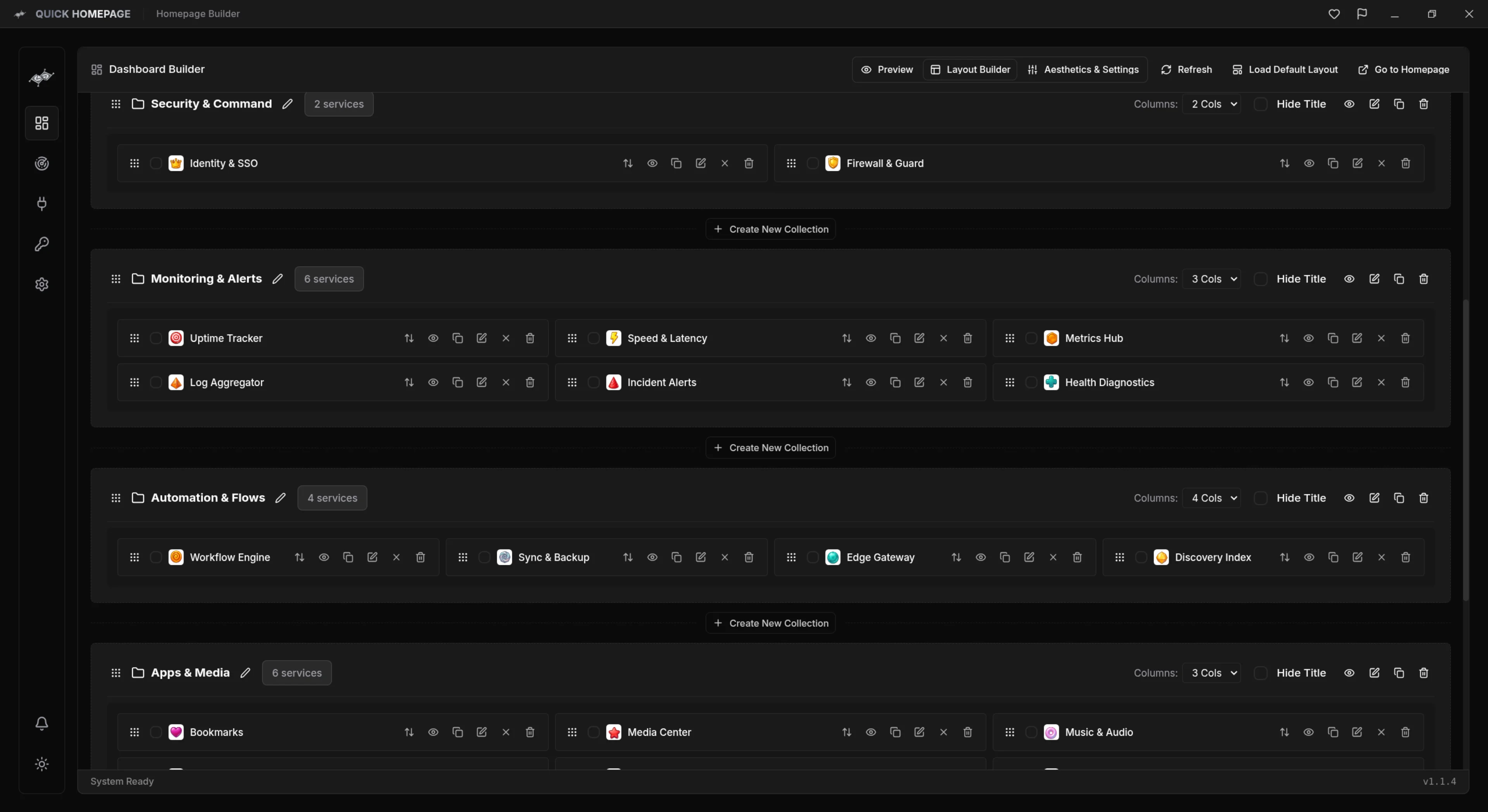
- Manage both auto-discovered and custom services with names, URLs, descriptions, and icons.
- Launch any tool in one click instead of copying addresses from a file.
- Edit changed ports in seconds through the Smart GUI or built-in YAML editor.
- Everything remains stored locally on your own computer.
Document Once, Launch Every Day With Quick Homepage
The best network documentation is the one you naturally use every morning.
Moving your local IP list into Quick Homepage eliminates maintaining a separate sheet—every card documents the service and opens it on the spot.
Documentation you never open goes stale fast; turn your start page into the living map of your network.

Quick Homepage
Document Services With Names, Descriptions & Icons in Quick Homepage
Quick Homepage lets you save and manage discovered or custom services with readable names, URLs, descriptions, and icons—turning your inventory into an instant launcher.
- Save every service with custom name, URL, description, and icon
- Auto-discovery catches active LAN services without manual typing
- Update changed IPs or ports in seconds via GUI or YAML
- Acts as both your live documentation and daily launchpad