Turn Your PC Into a Smart LAN Control Center in 3 Minutes With Quick Homepage (No Docker, No YAML)
Want a sleek desktop dashboard for your home server, router, and daily web tools—complete with auto-discovery and live Python widgets—without touching a single YAML file? Meet Quick Homepage.
Why Spend an Evening Debugging Dashboard Configs When You Can Launch in 3 Minutes?
Most homelab dashboards require containers and fragile indentation just to add one new shortcut.
If you run a home server, network printers, or a stack of daily tools, you know the routine: opening a YAML file to add one port, breaking indentation, and restarting containers just to refresh a tile. Quick Homepage flips that script with a fast native desktop app that discovers your LAN and lets you design visually in seconds.
Two Standout Features That Set Quick Homepage Apart
1. Built-In Local Network Auto-Discovery
Stop hunting for forgotten IP addresses and ports. Quick Homepage scans your local network for active interfaces so you can save them with crisp names and icons in one click.
2. Limitless Customization With Python Widgets & Add-ons
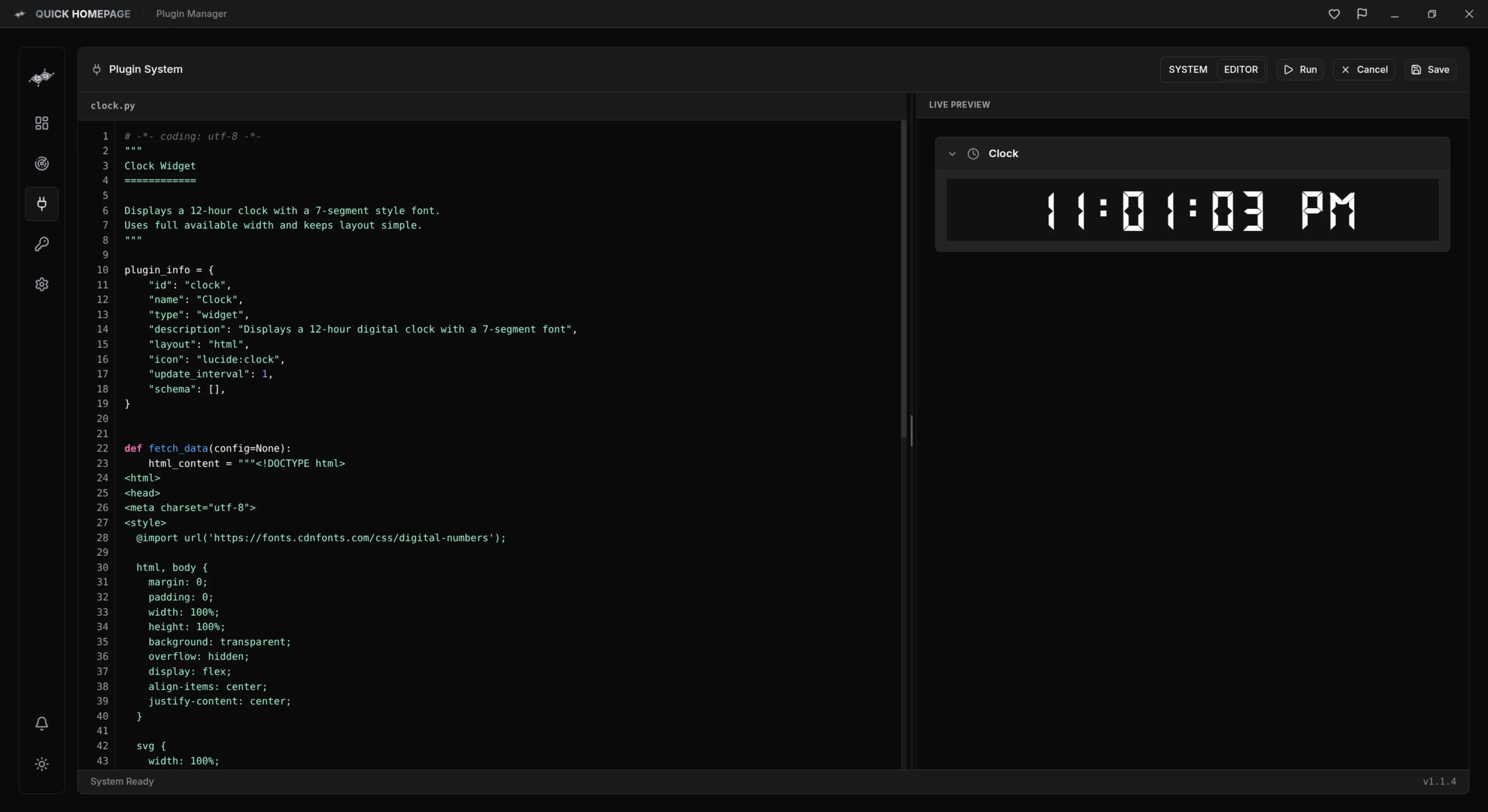
Want live server status or custom metrics right on your start page? Quick Homepage supports custom Python add-ons and live widgets tailored exactly to your setup.
# Quick Homepage Plugin Idea (Python Live Widget):
# - Ping core home server & NAS every 30s
# - Display clean Online / Offline badge
# - Launch admin panel in 1 click directly from your desktop
3 Steps to Launch Your Local Control Center Today
- Install Quick Homepage on Windows or Linux from the official store in seconds.
- Run auto-discovery to capture active LAN services and sort them into collections.
- Pick custom icons, wallpapers, and optional live widgets for instant one-click access.
Visual Simplicity Meets Local-First Engineering
Everything stays private on your own machine—zero cloud accounts, zero tracking.
Whether you are a network engineer, developer, or homelab enthusiast, Quick Homepage gives you a calm, ultra-fast launchpad the moment you power on your PC.
The best dashboard is the one you can set up in three minutes and rely on effortlessly for years.
Try Quick Homepage on Windows or Linux today and turn scattered IPs and bookmarks into a clean command center.

Quick Homepage
Build Your Local Control Center in Minutes With Quick Homepage
Quick Homepage combines instant LAN service discovery, a smooth visual GUI editor, and live Python plugins & widgets in one fast desktop app for Windows and Linux.
- Auto-discovers active web services on your local network instantly
- Full visual GUI editor—zero manual YAML files or Docker setup
- Extensible live Python widgets and custom add-ons
- Available on Windows (Microsoft Store) and Linux (Snapcraft)

