Create Custom Python Widgets and Live Status Cards for Your Local Desktop Dashboard
Want live server health, open port checks, or custom metrics right on your start page without heavy monitoring stacks? Explore Python widgets and add-ons in Quick Homepage.
Why Developers Love a Local Start Page You Can Extend With Python
Sometimes you do not need an enterprise monitoring cluster—just one crisp card telling you if your server is up.
Homelab owners and developers often search for a desktop dashboard that supports custom Python widgets so they can display live port checks, storage headroom, or backup status without burning gigabytes of RAM.
Two Practical Live Widgets Worth Building First
1. Instant Local Service Health Checker
A tiny Python socket check verifies whether key LAN ports are responding and surfaces a clean status badge right beside your launch cards.
2. Quick Storage or Backup Freshness Card
Show remaining disk space or your latest local backup timestamp right next to your storage shortcut so issues never catch you off guard.
# Simple local service health check logic for a custom widget
import socket

def is_port_open(host: str, port: int, timeout: float = 1.0) -> bool:
    with socket.socket(socket.AF_INET, socket.SOCK_STREAM) as s:
        s.settimeout(timeout)
        return s.connect_ex((host, port)) == 0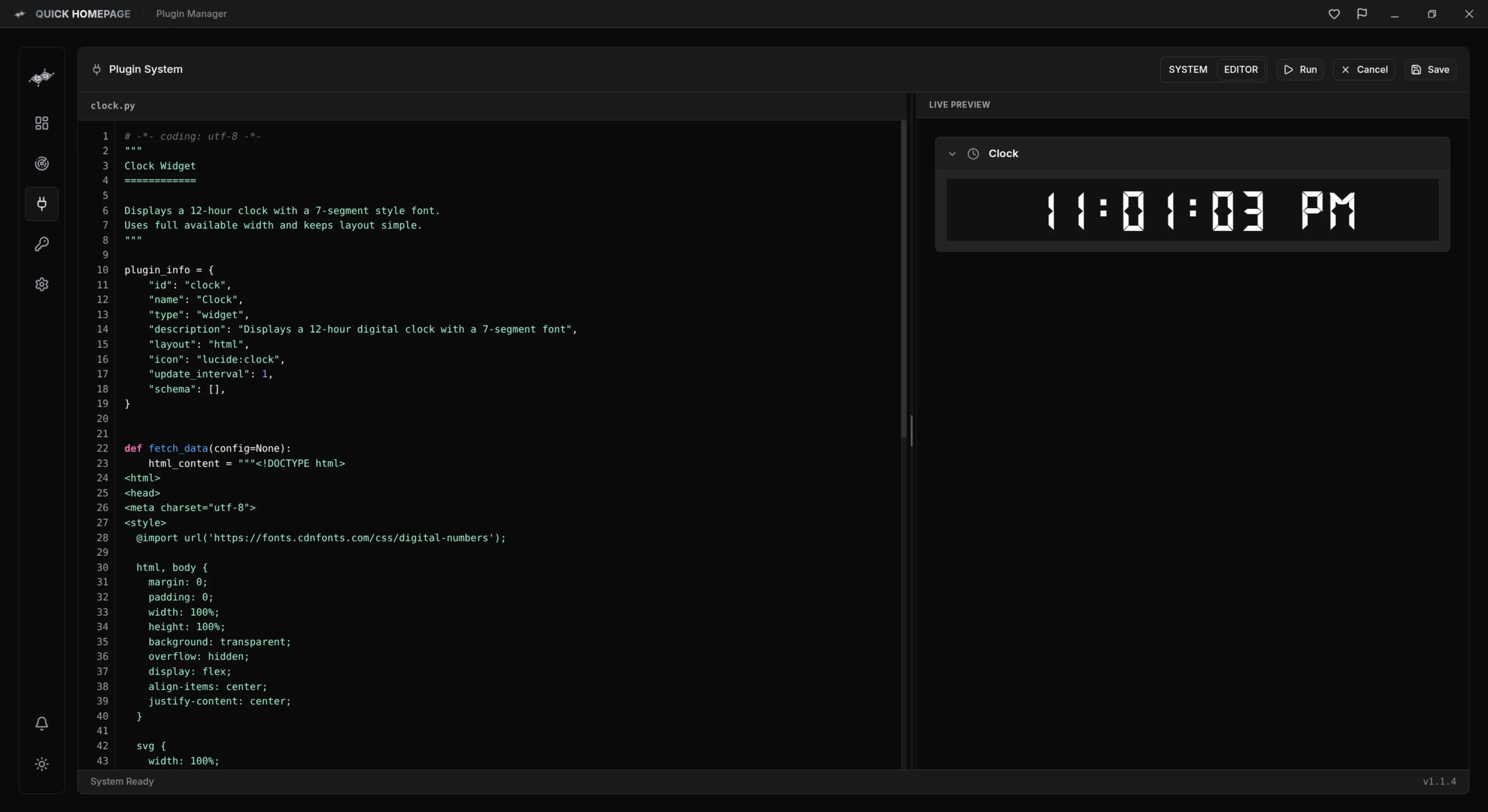
A Start Page That Grows With Your Technical Workflow
Start with clean visual shortcuts and add custom Python logic whenever you want deeper visibility.
Quick Homepage pairs effortless GUI organization with extensible add-ons and live widgets—making it equally welcoming for beginners and power users on Windows and Linux.
The best dashboard gives beginners one-click simplicity and developers the freedom to script exactly what they care about.
Download Quick Homepage today and turn your local start page into a tailored command center.

Quick Homepage
Monitor Your Local Services With Custom Python Widgets in Quick Homepage
Quick Homepage supports lightweight plugins and live widgets so you can glance at server health, port status, and custom data without heavy monitoring stacks.
- Extensible plugin and live widget system built for custom needs
- Check local server ports, backup status, and storage at a glance
- Tiny resource footprint compared to heavyweight monitoring stacks
- Runs locally on Windows and Linux alongside your visual collections

