Build a Homelab Dashboard in 5 Minutes Without Docker or YAML Configs
Don't want to spend two hours debugging YAML indentation and containers just to launch local links? Build a clean visual homelab hub in minutes with Quick Homepage.
Why Setting Up a Simple Local Dashboard Shouldn't Take All Evening
One stray space in a YAML file can break an entire dashboard—when all you wanted was one-click access.
Beginners and busy builders frequently search for a homelab dashboard without Docker or YAML because maintaining another container stack just to bookmark ten local services feels like overkill.
5-Minute Visual Setup Inside Quick Homepage
- Install Quick Homepage in one click from Microsoft Store or Snapcraft—no web server needed.
- Run built-in LAN discovery to spot active services on your network immediately.
- Create three clear collections (Server, Network, and Daily Tools).
- Customize names, icons, and backgrounds visually in the GUI editor without touching raw config text.
- Lock your layout and start launching every service in one click.

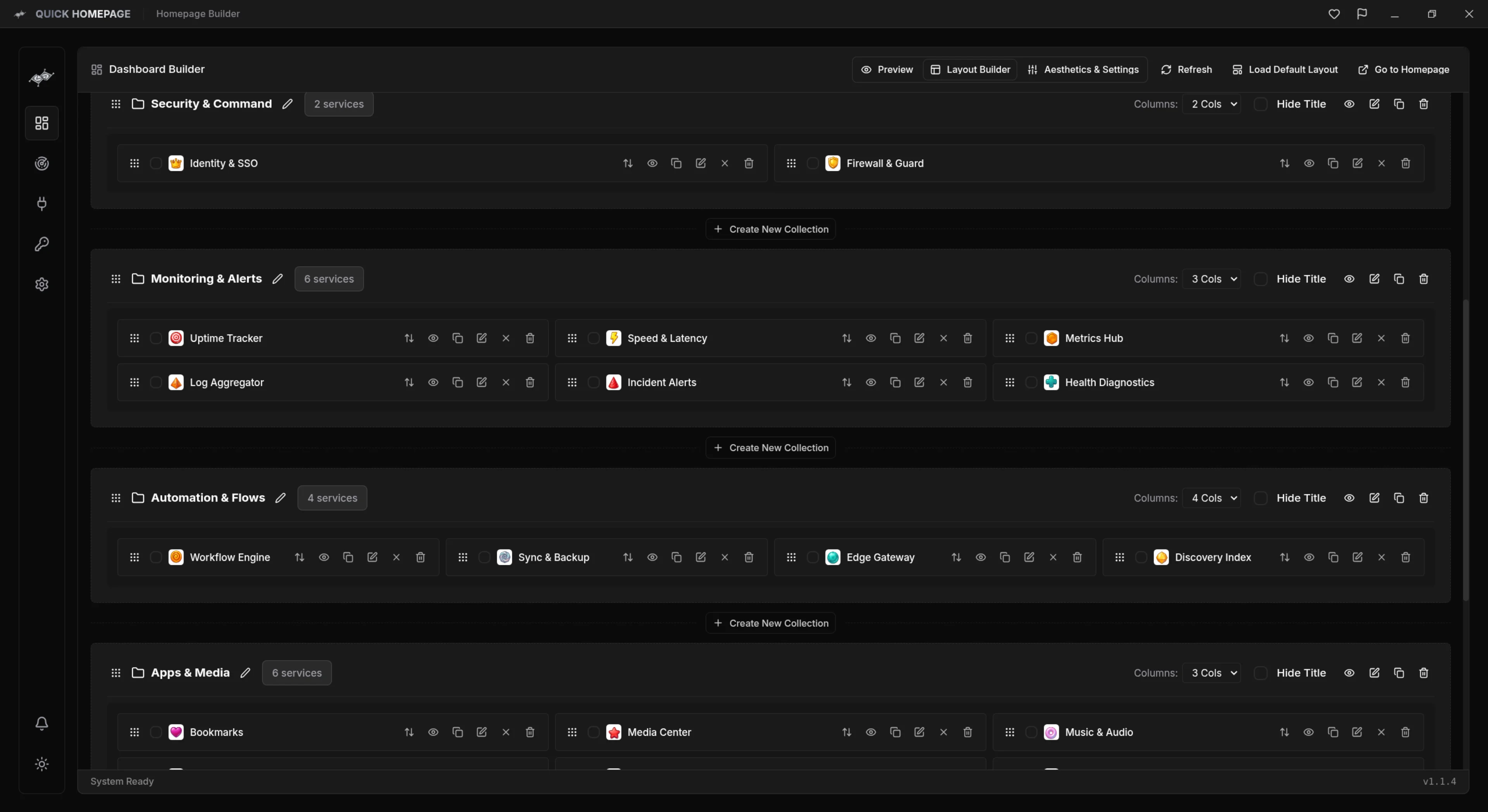
Zero-Config Simplicity Without Sacrificing Power
Start visually in minutes, and expand whenever your network grows.
Quick Homepage gives you instant visual setup from minute one while still supporting LAN auto-discovery, Config Lock, and custom live widgets.
The best homelab launcher takes five minutes to build and zero weekends to maintain.
Save your energy for real projects and let Quick Homepage keep your local hub effortless.

Quick Homepage
Build Your Homelab Dashboard in 5 Minutes With Zero Config Files in Quick Homepage
Quick Homepage skips Docker setup and hand-edited YAML files—just install, auto-discover your LAN services, and customize every card visually.
- Native desktop install on Windows and Linux—no Docker required
- Full GUI editor adds and updates links with zero YAML syntax errors
- Auto-discovers active LAN services to cut manual typing
- Lightweight and ready to extend with Config Lock and live widgets

